

03 / 04
Burhen Halı Yıkama CRM
A full-stack CRM and business automation system built with React and Flask. It brings customer records, square-metre-based pricing, six-stage order tracking, payment and balance management, personnel permissions, and PDF delivery-note generation into one operational workspace.
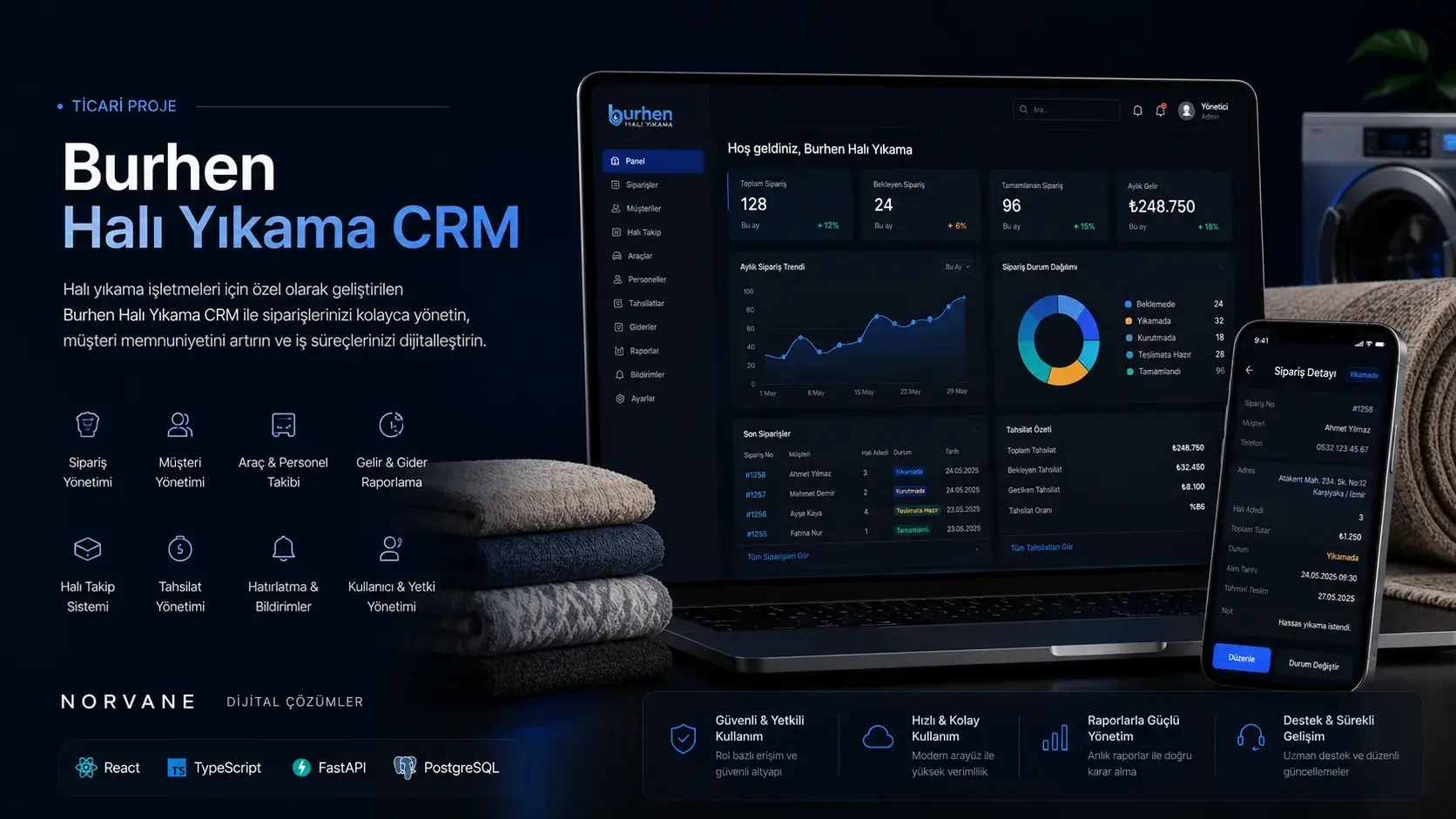
Project snapshot
- Status
- Completed
- Role
- Full-stack development, operations modelling, API design, data architecture, and user interface
- Technologies
- React · Flask · SQLAlchemy · ReportLab
Overview
Bringing daily business operations into one connected data flow.
- Context
- Burhen Carpet Cleaning CRM is a full-stack operations platform developed to manage customer records, orders, pricing, payments, and personnel access from one central workspace. The system combines distinct usage layers — the public entry experience, platform administration, and the operational workspace used by an individual business — within one application.
- Goal
- To carry the daily workflow without a break, from customer registration through order creation, measurement and pricing, status updates, document generation, customer communication, and payment tracking.
- Norvane’s role
- Full-stack development, operations modelling, API design, data architecture, and user interface
The Need
In carpet-cleaning businesses, customer details, dimensions, carpet types, delivery dates, processing stages, and payments all have to be tracked together across the life of a single order.
When that information is scattered across paper, messaging history, and separate spreadsheets, it invites pricing errors, late orders, missing payment records, and uncertainty about who did what.
The central design and engineering problem in Burhen was to build a system that speeds up heavy daily data entry while protecting financial accuracy, user permissions, and the history of every change.
- Fragmented customer and order recordsPreventing customer, address, order, and payment information from living in disconnected sources.
- Manual price calculationCalculating the amount automatically and consistently from carpet type, width, length, and square-metre price.
- Invisible operational stateKeeping the current stage visible from the moment an order is collected to the moment it is delivered.
- Financial trackingFollowing the total, the amount paid, and the remaining balance within the same order and customer context.
- Permissions and accountabilitySeparating business-owner, personnel, and system-administrator actions through controlled access.
Approach
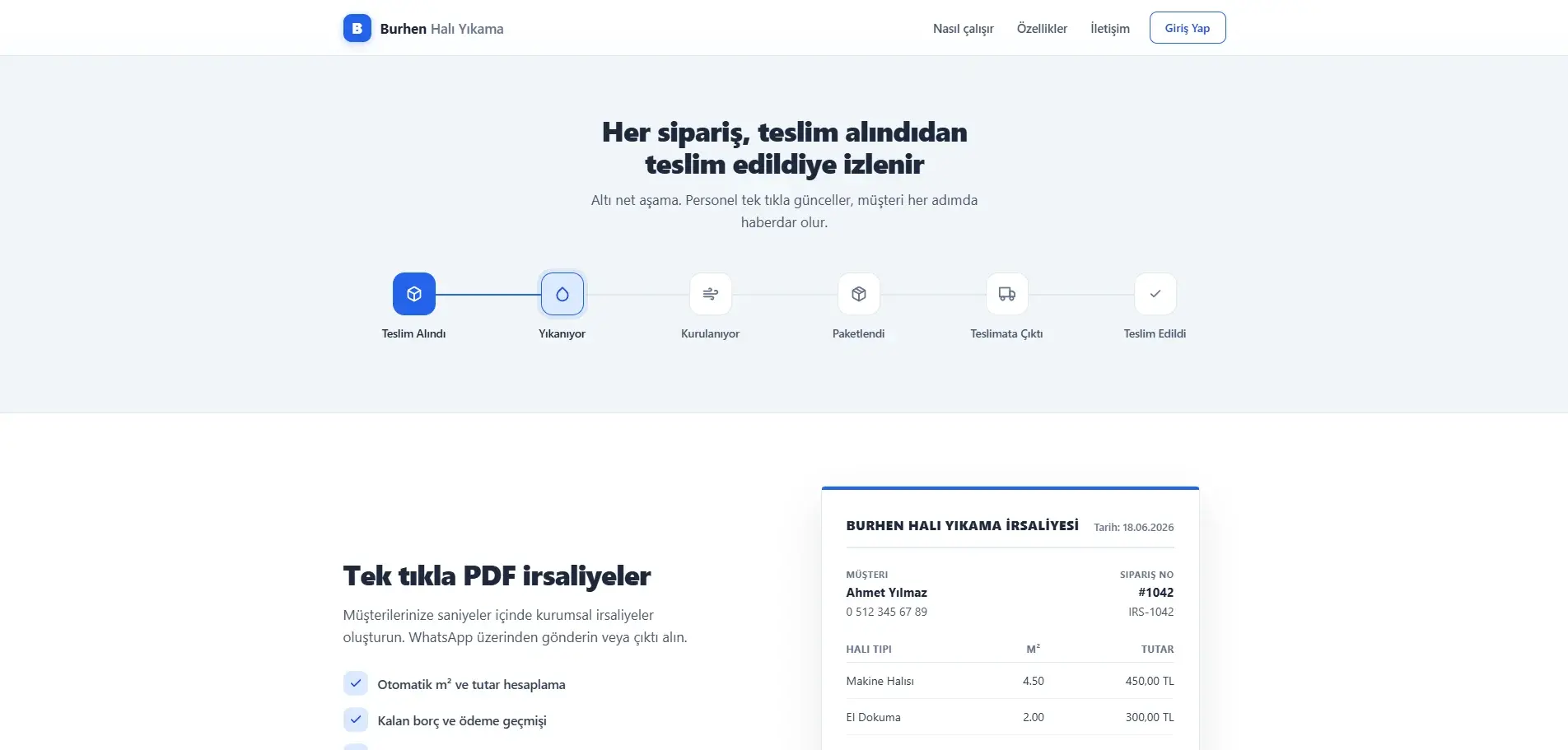
The backbone of the operation in Burhen is the order’s six-stage lifecycle. An order moves along one record from the moment it is collected to the moment it is delivered; as the stage changes, the badge in the list, the counter on the dashboard, and the message template prepared for the customer all move with it.
The interface is built to carry that flow: a light grey application background, white content surfaces, a dark sidebar, and controlled blue accents. Blue is not decoration — it marks primary actions, active navigation, and focus states. Success, warning, danger, and information colours support operational states, but state is always given as text and icon as well, so no meaning rests on colour alone.
Financial values carry their own hierarchy here: payments, outstanding balances, and totals are shown at the highest contrast and typographic weight rather than demoted to muted grey meta text.
Speed beats friction
The same flow is repeated dozens of times a day, so screens are built around the fewest clicks and clear defaults.
Money is always legible
Payments, outstanding balances, and totals sit at the highest contrast and weight, never buried for the sake of elegance.
State is never colour alone
Order and payment state is always given as text and icon alongside its colour.
Business-scoped data ownership
Every query is scoped to the owning business account; personnel work within their own business’s pool.
Order lifecycle
- Received — customer and order details are recorded and item lines are added
- Washing — the order enters the active cleaning process
- Drying — the post-wash drying stage is tracked
- Packaged — cleaned items are prepared for delivery
- Out for delivery — the order leaves the workshop for the customer
- Delivered — the order lifecycle and handover are complete
Request path
- React and Vite interface: landing, login and dashboards
- The Axios client attaches the JWT to protected requests through an interceptor
- The Flask REST API routes the request to its blueprint
- Identity and role claims are verified and business ownership is applied
- SQLAlchemy carries out the operation on the relational database
Document and audit trail
- Order and customer data is passed to the PDF service
- ReportLab generates the delivery note with a Turkish-capable font
- The document opens in a new tab, downloads, or enters the Web Share flow
- The same operation is caught by SQLAlchemy events
- The change is written to the audit log with business, user and field context
Design tokens
- Primary blue#2563eb
- Dark sidebar#0f172a
- Application background#f1f5f9
- Paid / active#059669
- Approaching / pending#d97706
- Outstanding / overdue#dc2626
Features
Combining dimensions, service type, and unit pricing in one calculation flow
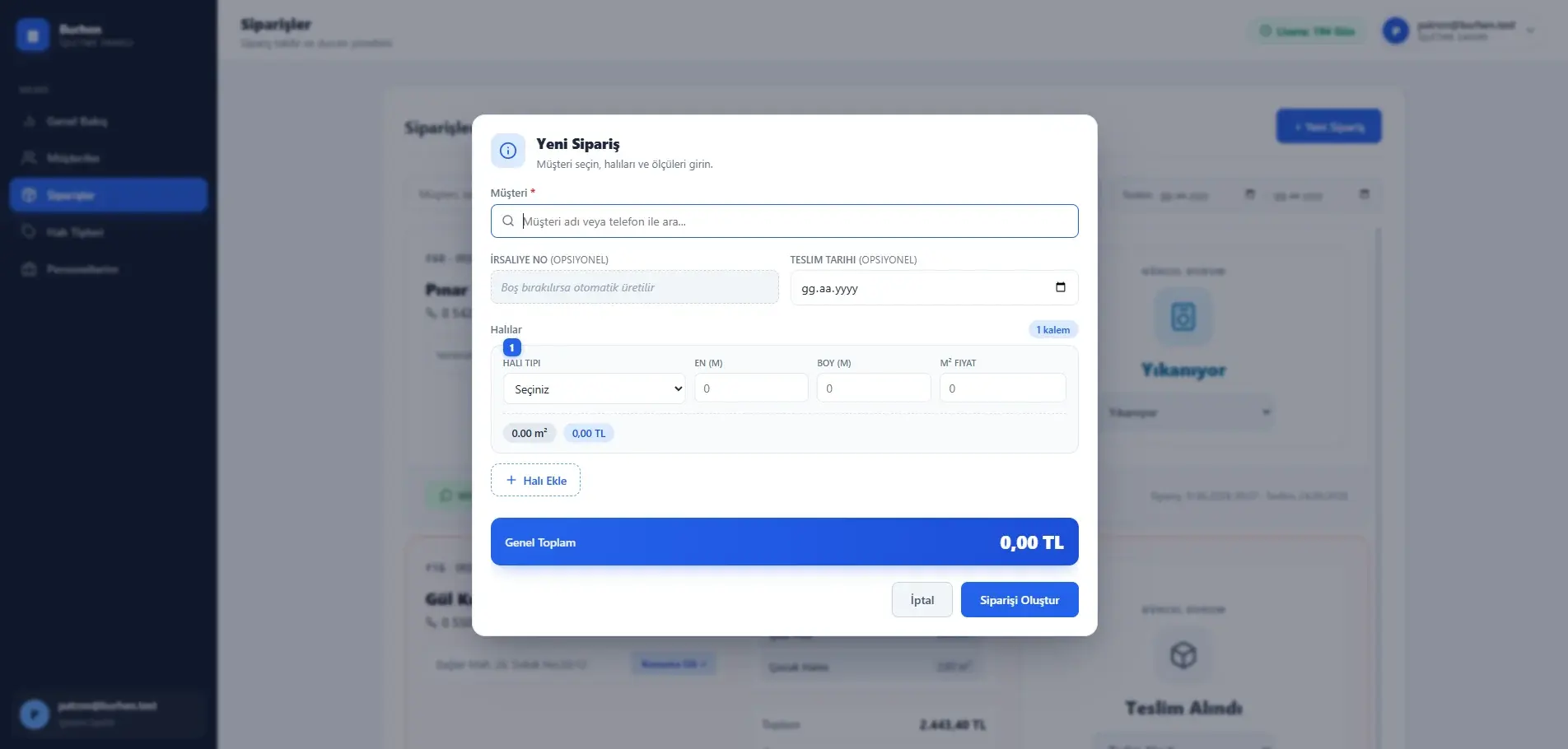
The order-creation workflow begins by selecting an existing customer. Multiple carpet items can be added, with carpet type, width, and length recorded for each item.
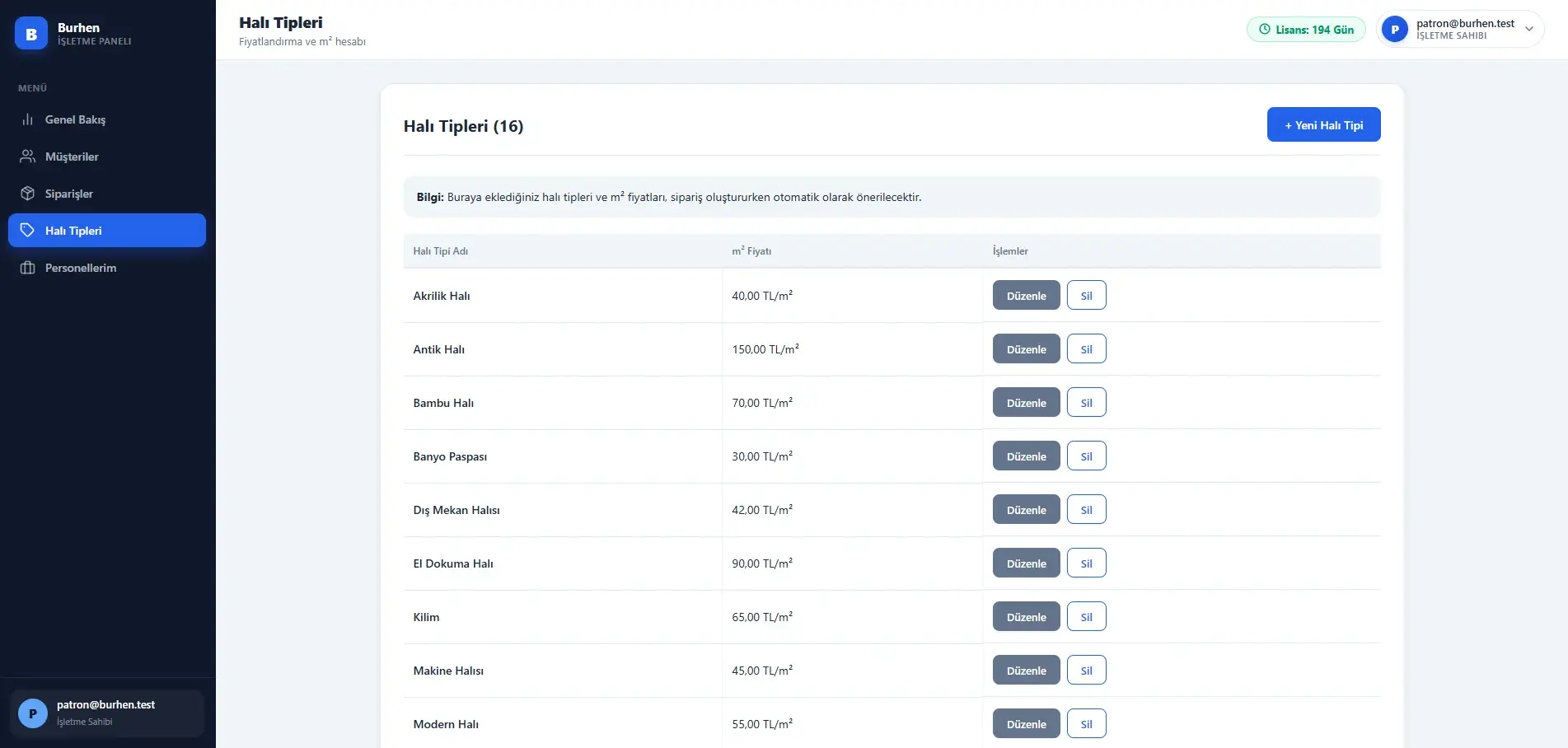
Once the carpet type is selected, the configured square-metre price is applied automatically. The system calculates the area and amount for each row and updates the overall total during data entry. Money and measurement fields use Decimal-based values rather than floating point.
When the delivery-note number is left empty, the system generates one. If carpet types and pricing have not been configured, order creation is blocked and the user is directed to the relevant management area.
- Multiple carpet items
- Automatic area and amount
- Square-metre price per carpet type
- Generated delivery-note number
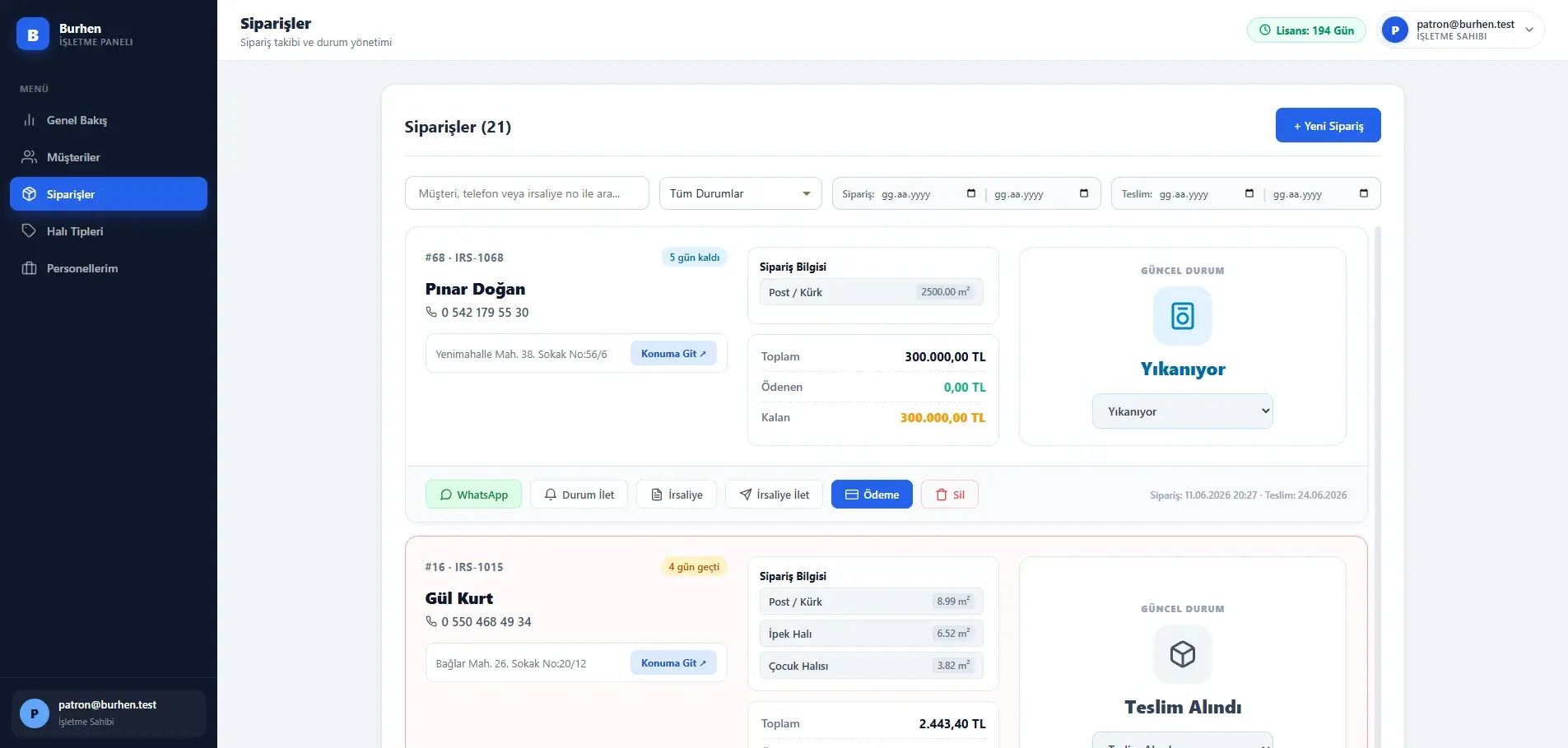
Managing an order’s state, document, and payments on one record
The order list does not show operational state as text alone; colour, icons, and labels make the current stage visible. Days remaining until the delivery date and overdue orders are marked separately.
Authorised users can update the order status, generate the PDF delivery note, prepare the stage-specific message for the customer, record a payment, and review payment history.
- Status updates
- Stage-specific message drafting
- Delivery-note viewing and sharing
- Payment recording and history
- Permission-gated order deletion
Making customer history the starting point of the operation
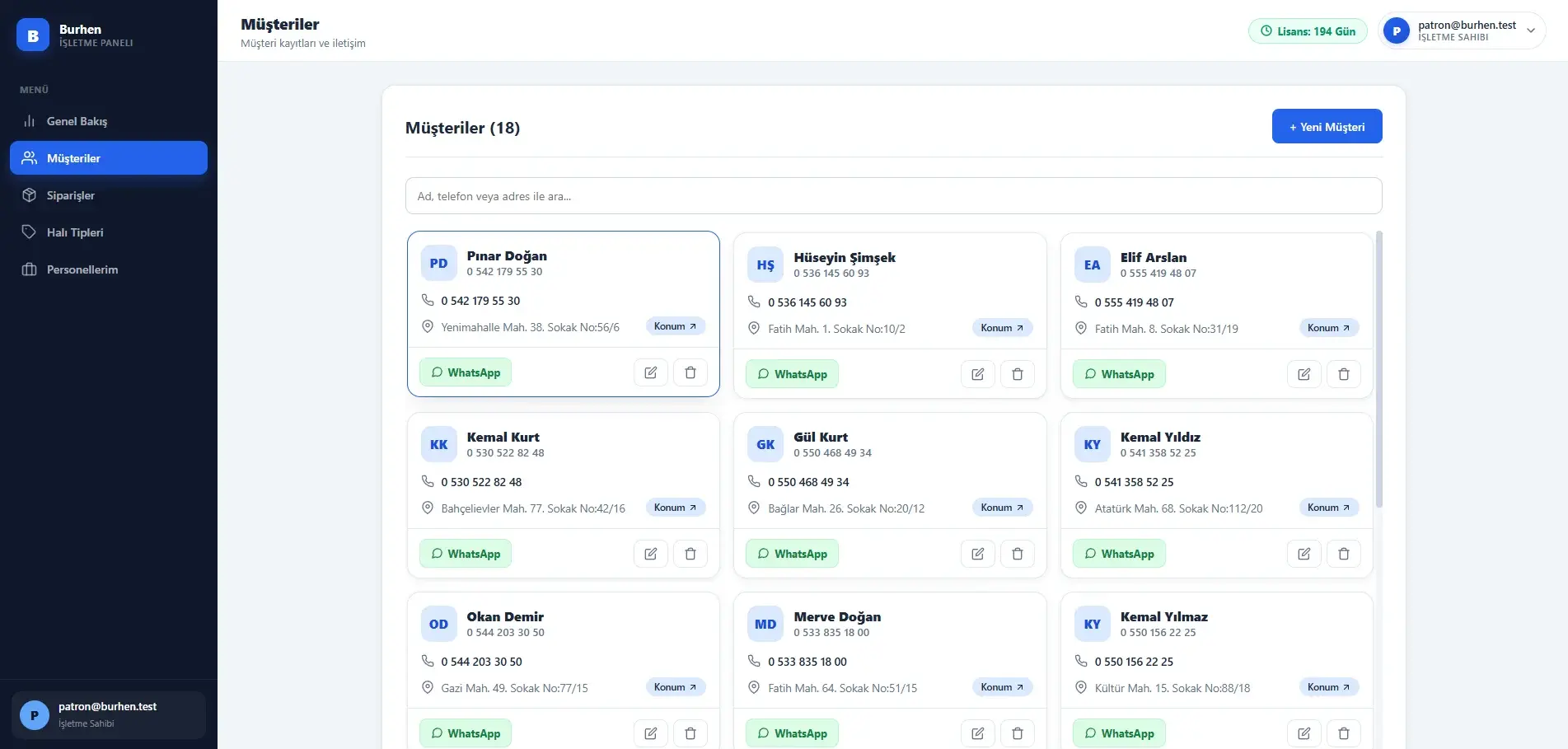
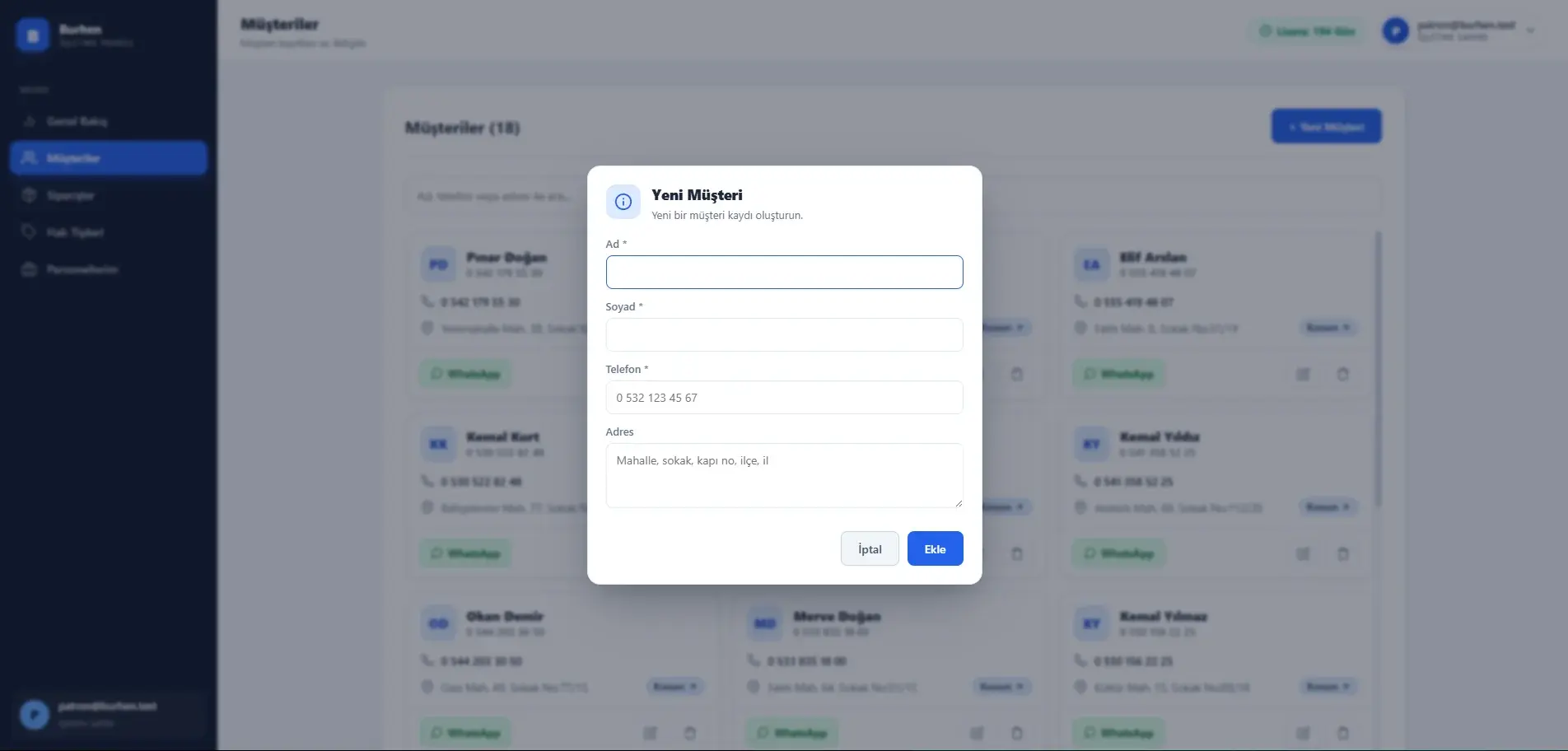
The customer module stores names, contact details, and addresses within the scope of each business. Existing customers can be searched by name or phone and selected quickly during order creation.
A WhatsApp conversation can be opened from the recorded phone number, and the stored address can be used for a map search. Both work as outbound links; there is no separate mapping or messaging integration in the system.
Customers with active orders cannot be deleted — the backend blocks it to preserve data integrity.
- Business-scoped customer records
- Name, phone, and address search
- Outbound WhatsApp and map links
- Deletion guard on active orders
Making collections and outstanding balances visible within the operational flow
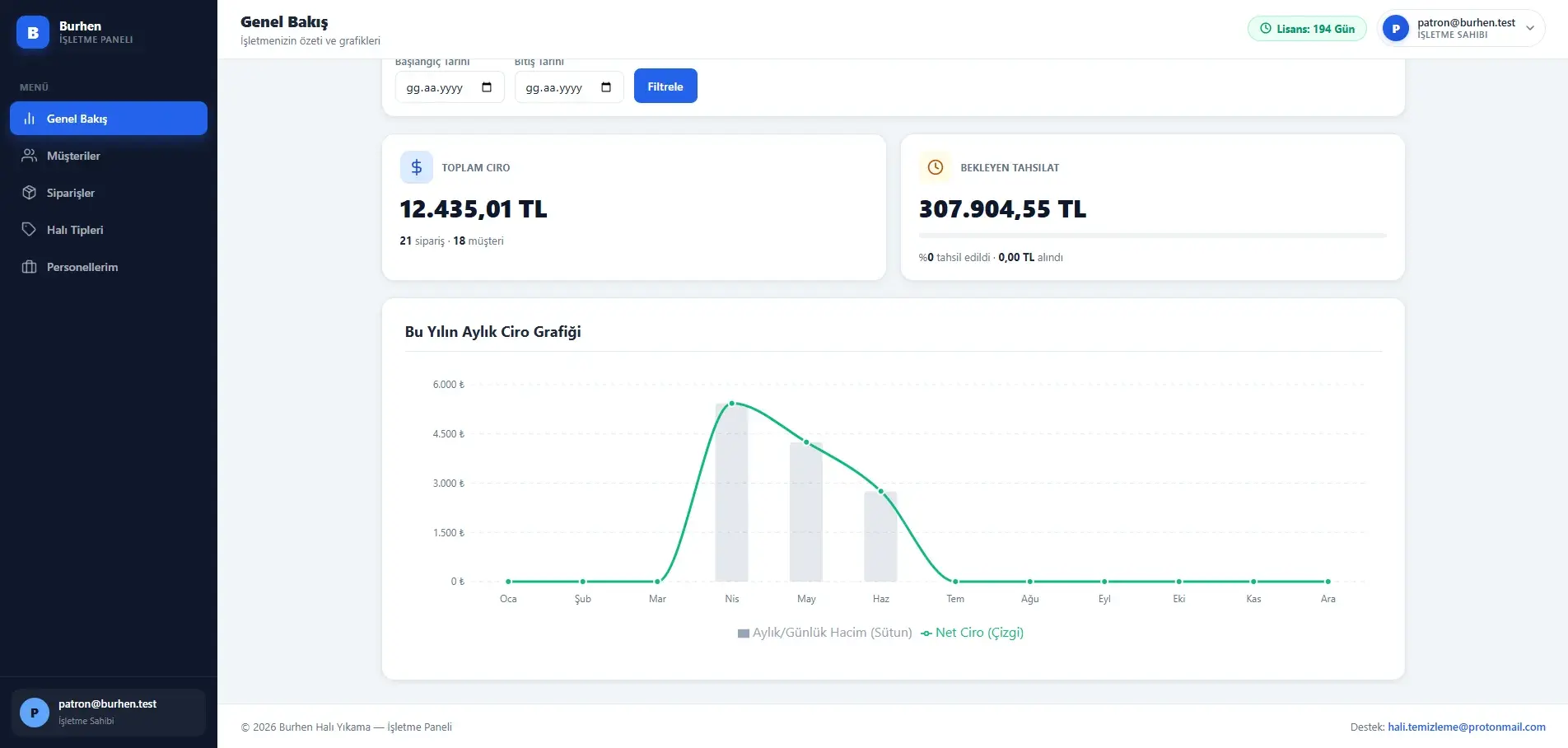
The finance module presents the order total, recorded payments, and remaining balance within the same transaction context. Authorised users can record payments as cash, card, IBAN, or bank transfer, review payment history, and remove incorrect entries within their permissions.
A payment cannot exceed the outstanding balance; the check is enforced on the backend and keeps the order balance consistent.
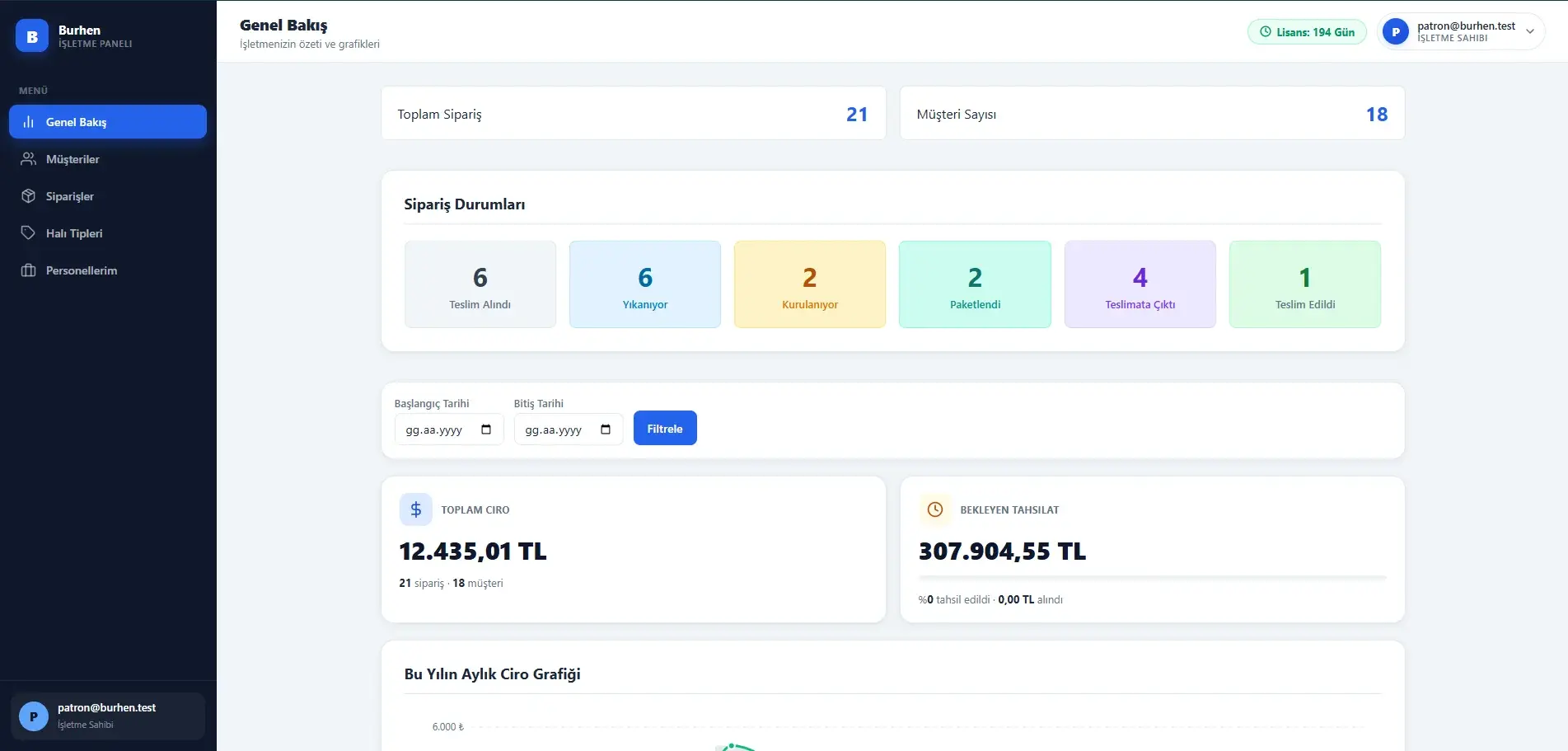
The dashboard’s financial summary shows total revenue and outstanding collections. With a date range selected the chart switches to daily figures, while the general view presents the year’s monthly distribution.
What is held here is a payment record: the system does not move money and connects to no payment gateway or banking service.
- Cash, card, IBAN, and transfer records
- Payments capped at the outstanding balance
- Monthly and date-ranged daily revenue
- Outstanding collection summary
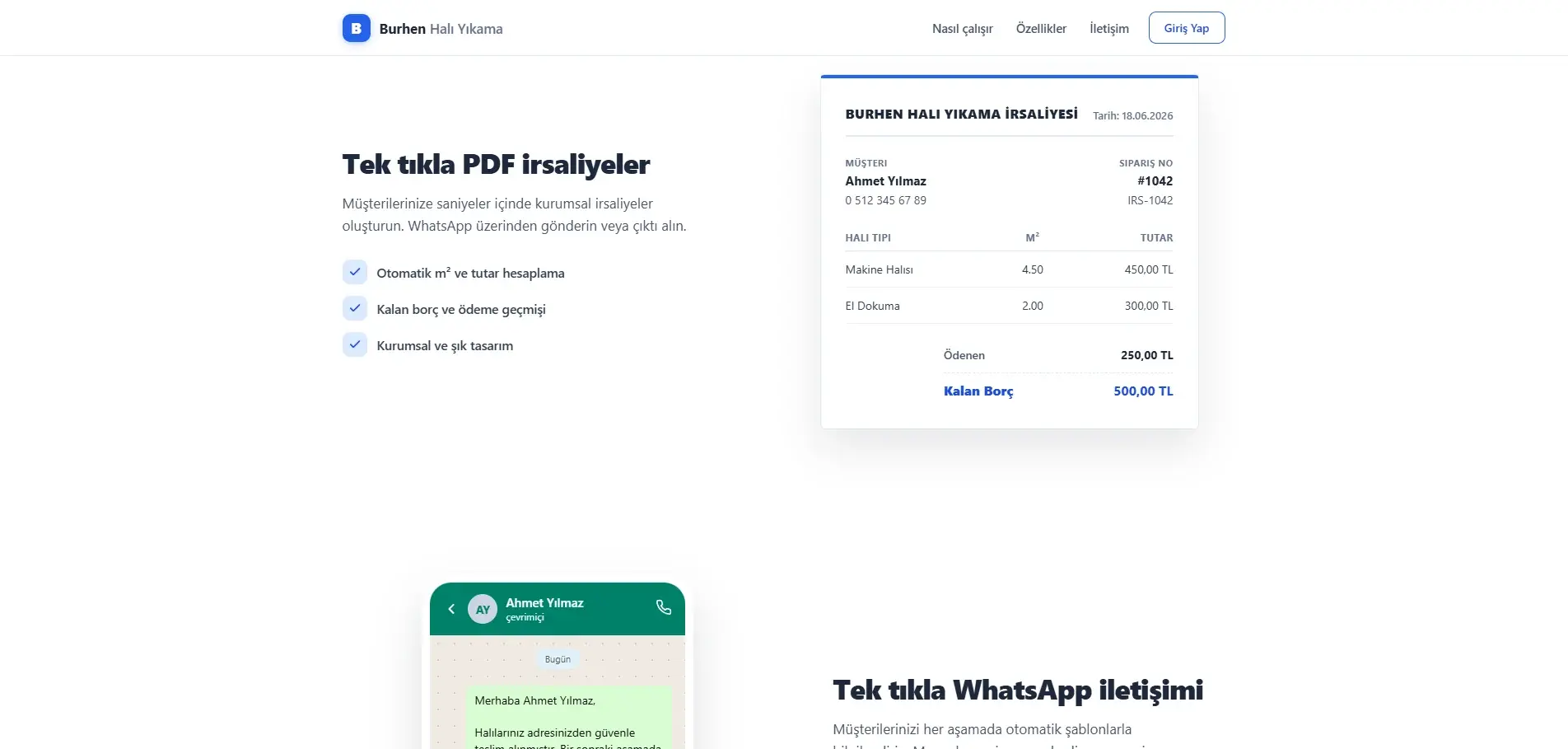
Generating a shareable operational document from order data
The backend uses customer and order information to generate a dynamic PDF delivery note through ReportLab, with font handling configured for Turkish characters. Customer details, carpet lines, and payment history each occupy their own section.
The resulting document can be opened in a new tab or downloaded. On supported mobile devices it is passed into the Web Share API flow; where that is unsupported, the file downloads and a WhatsApp Web redirect opens instead.
The generated document is an operational delivery note — not a statutory e-document or a tax-compliant output.
- Dynamic generation with ReportLab
- Turkish character support
- Web Share API or download
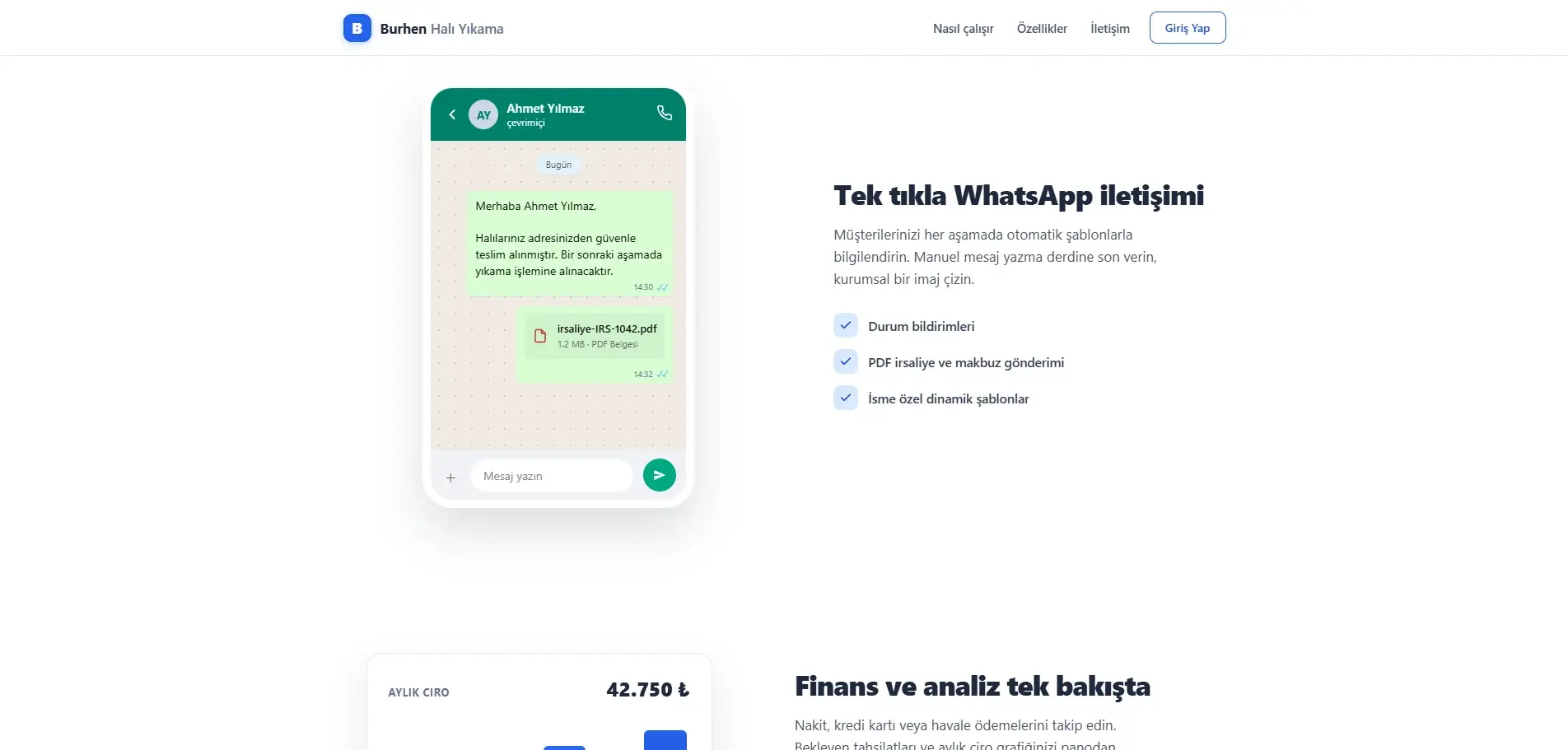
Connecting customer communication with the current order state
Each of the six order stages has its own message template. The template is filled with the customer’s name and the order’s current state, so what is sent always matches the stage on the record.
The system opens a WhatsApp or WhatsApp Web flow using the recorded phone number and the prepared message. The final send remains under the user’s control.
This flow is not built on the official WhatsApp Business API: no message is sent automatically from the server, no delivery reports are collected, and there is no bulk sending.
- Stage-specific message templates
- Sending under user control
- The same flow for document sharing
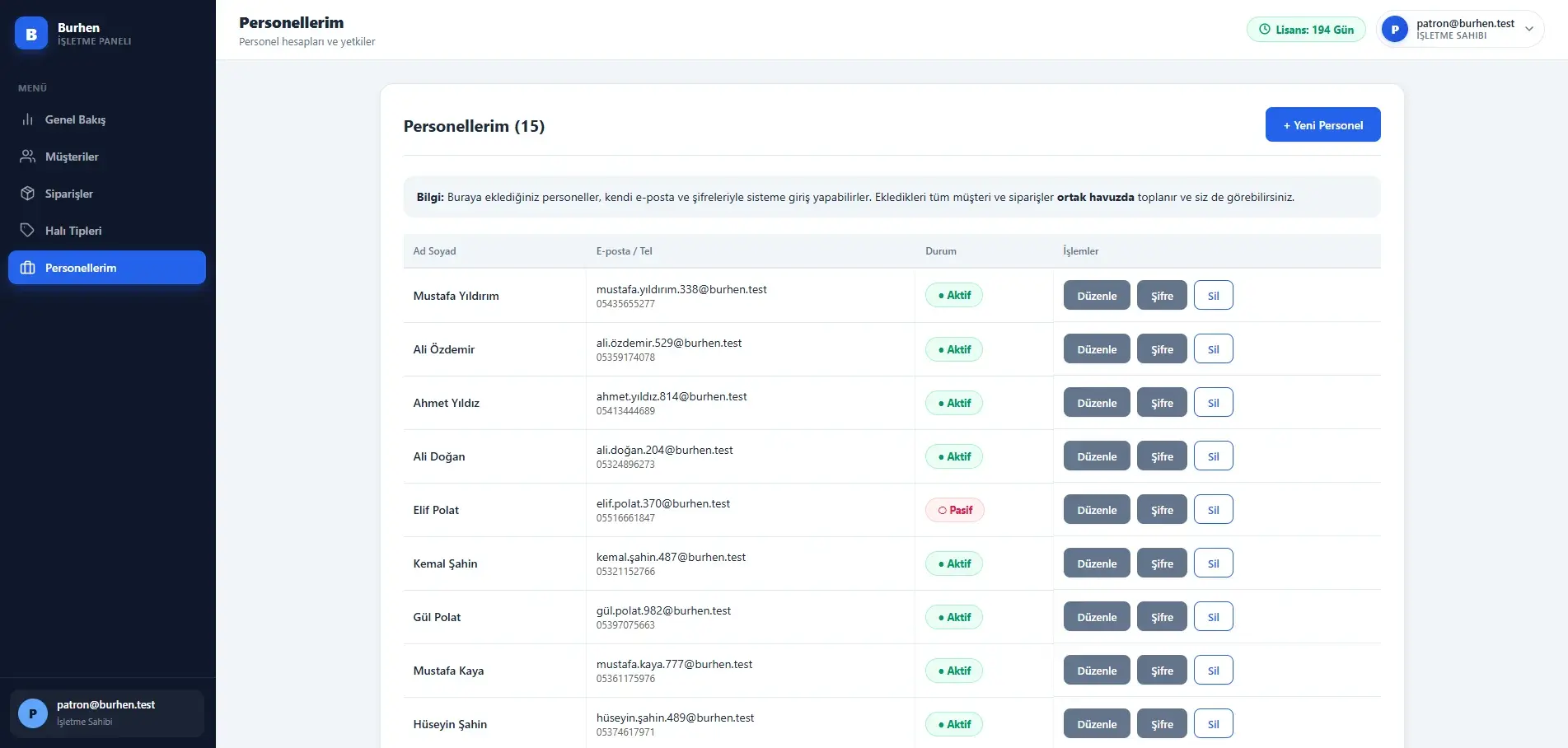
Scoping operational access to role and responsibility
Burhen supports three access layers: system administrator, business owner, and personnel. The system administrator manages business accounts across the platform, while the business owner manages their own customers, orders, personnel, and pricing.
Personnel work in their business’s shared data pool, and the customers and orders they add collect in the same pool. Areas such as financial summaries are scoped by the role claim — revenue and outstanding collections are returned only to the business owner in the dashboard statistics.
Personnel accounts sign in with an email address or phone number and can be activated or deactivated by the business owner.
- Three access layers
- Shared business data pool
- Role-scoped financial visibility
- Personnel limits and account state
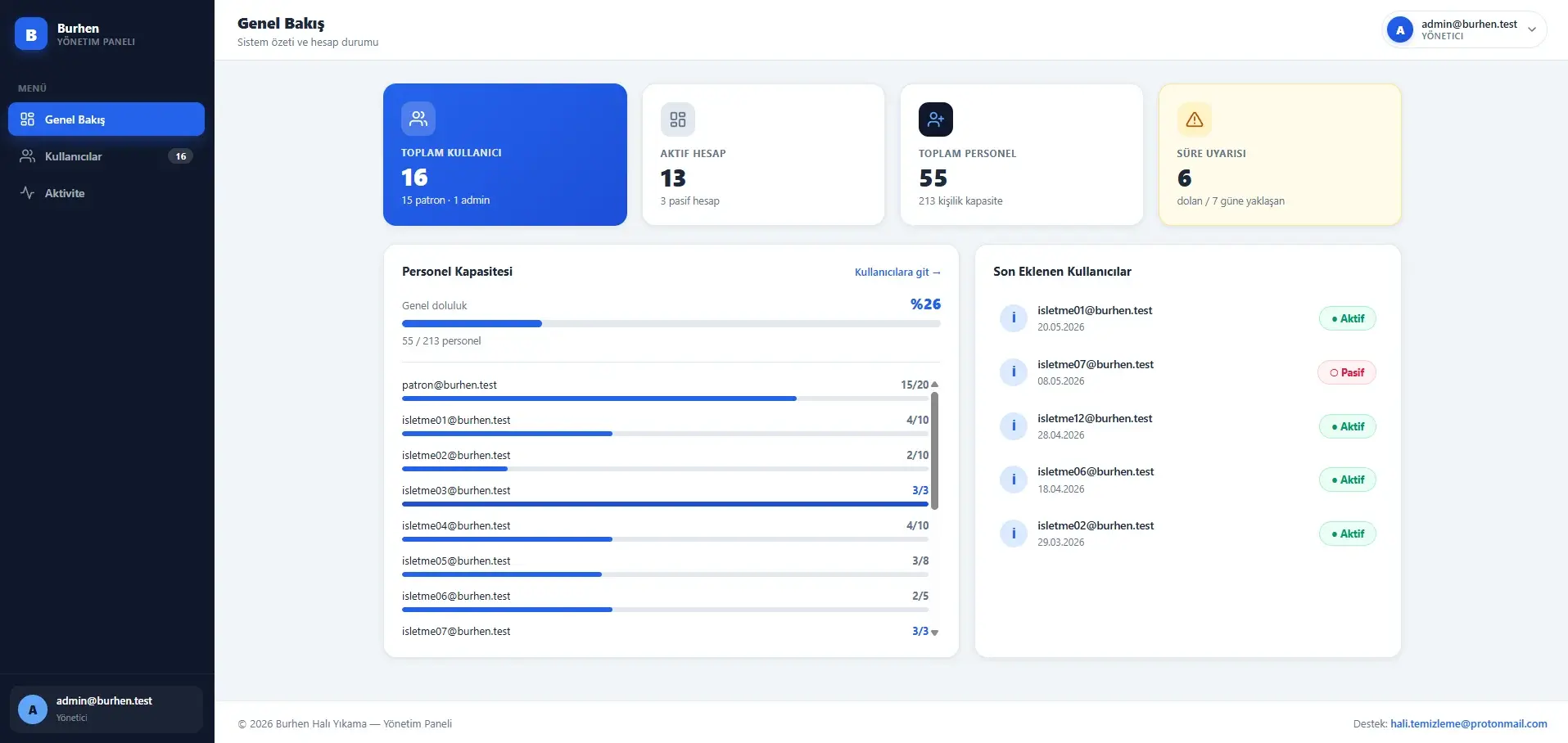
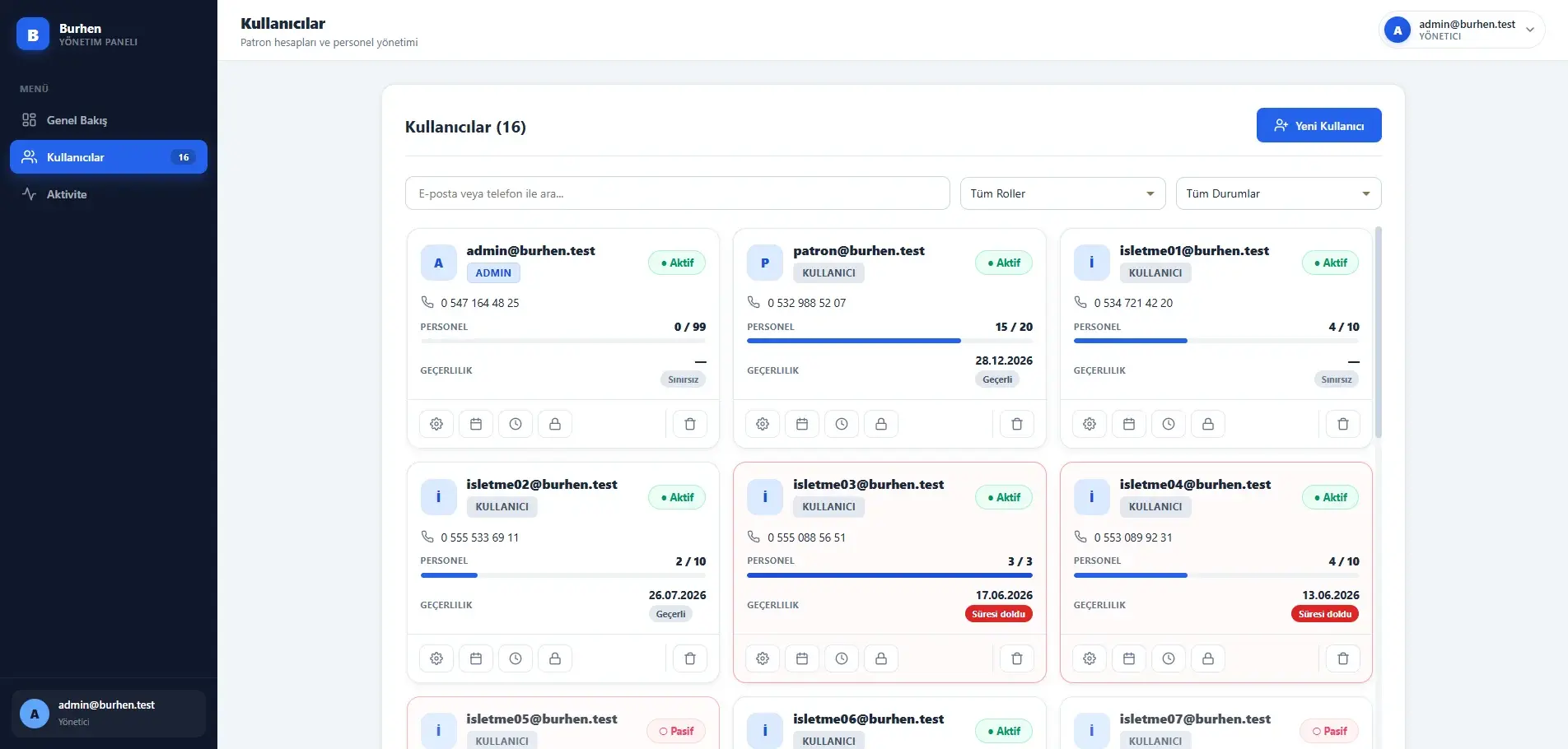
Managing multiple business accounts through a central control layer
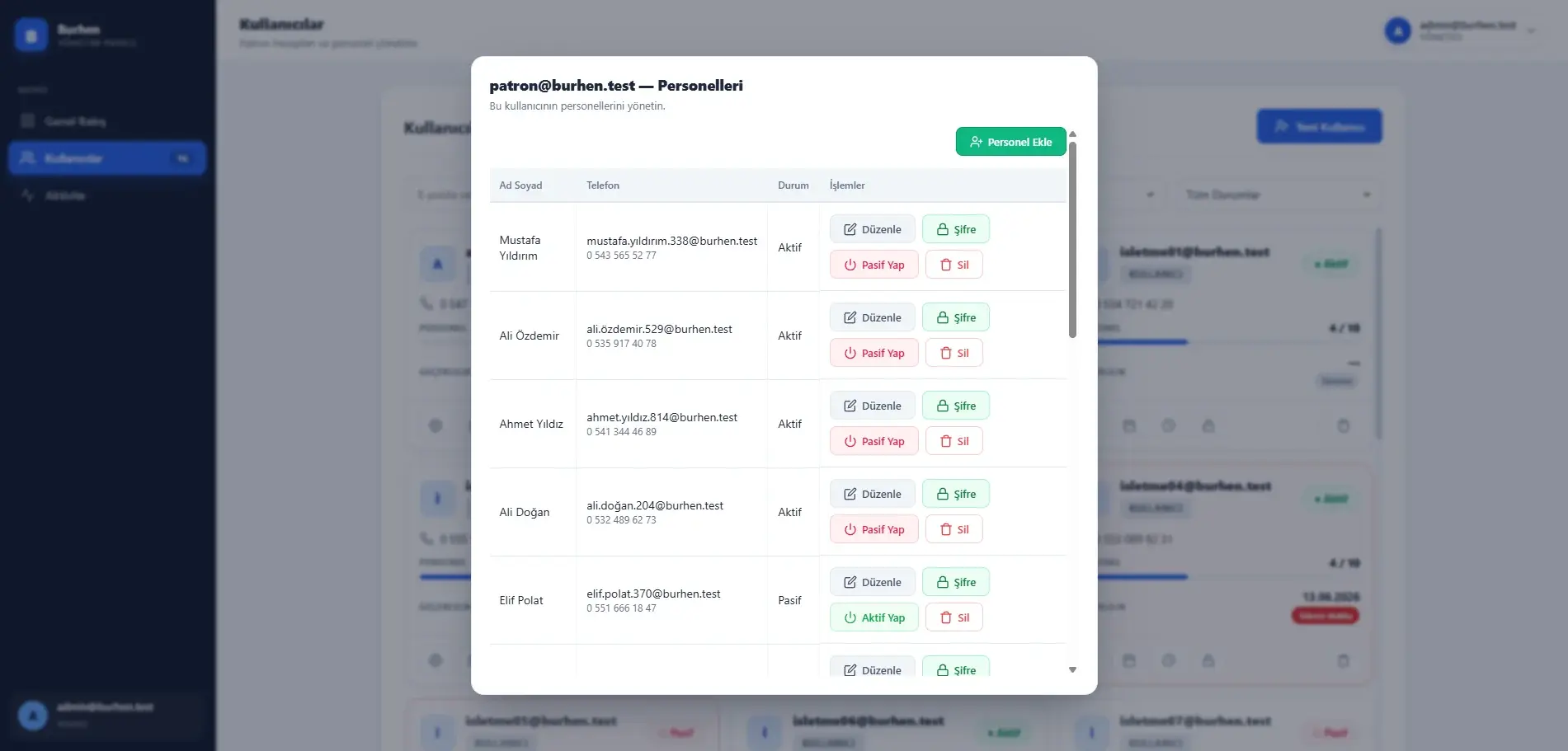
The system administration panel is the workspace where registered business accounts and personnel capacities are managed centrally.
An administrator can activate or deactivate accounts, set personnel limits, manage validity dates, reset passwords, and inspect each account’s personnel list separately. Capacity usage, approaching expiry dates, and recently added accounts are summarised in the overview.
What is managed here is a licence and a validity date. There is no subscription-billing infrastructure in the system; an account whose validity has expired is simply refused at login.
- Account state and personnel limits
- Validity date management
- Capacity and expiry summary
Making data changes traceable over time
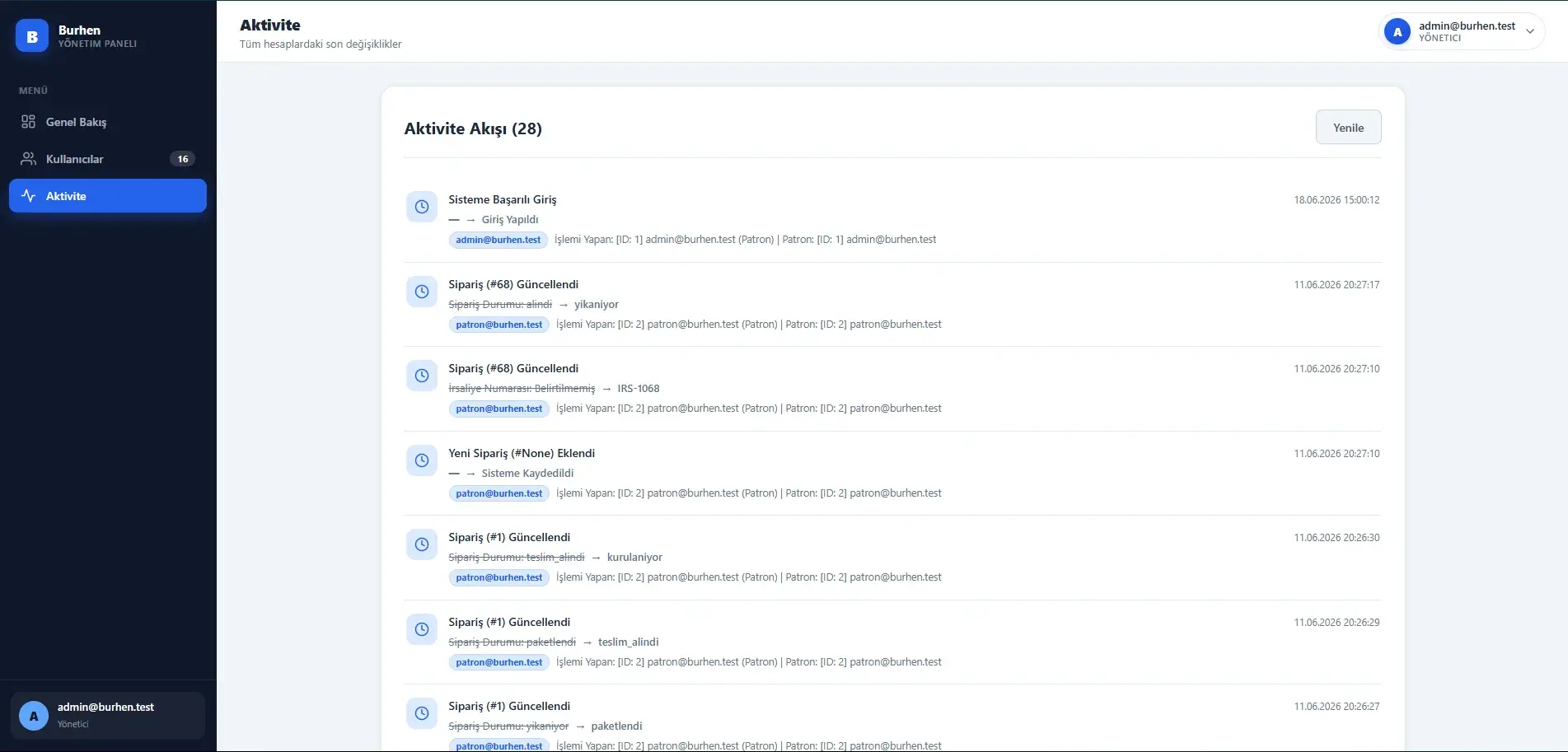
The SQLAlchemy event system catches creation, update, and deletion before the session is written and converts them into automatic audit-log records — so tracking is not wired into each route separately.
The records connect the affected business, the acting user, the field name, and the value before and after. Sensitive fields such as password hashes are excluded from logging.
This is an in-application history of changes; it makes no claim to being an immutable ledger or to statutory audit compliance.
- Automatic event-based logging
- Before and after values per field
- Sensitive fields excluded
Interface
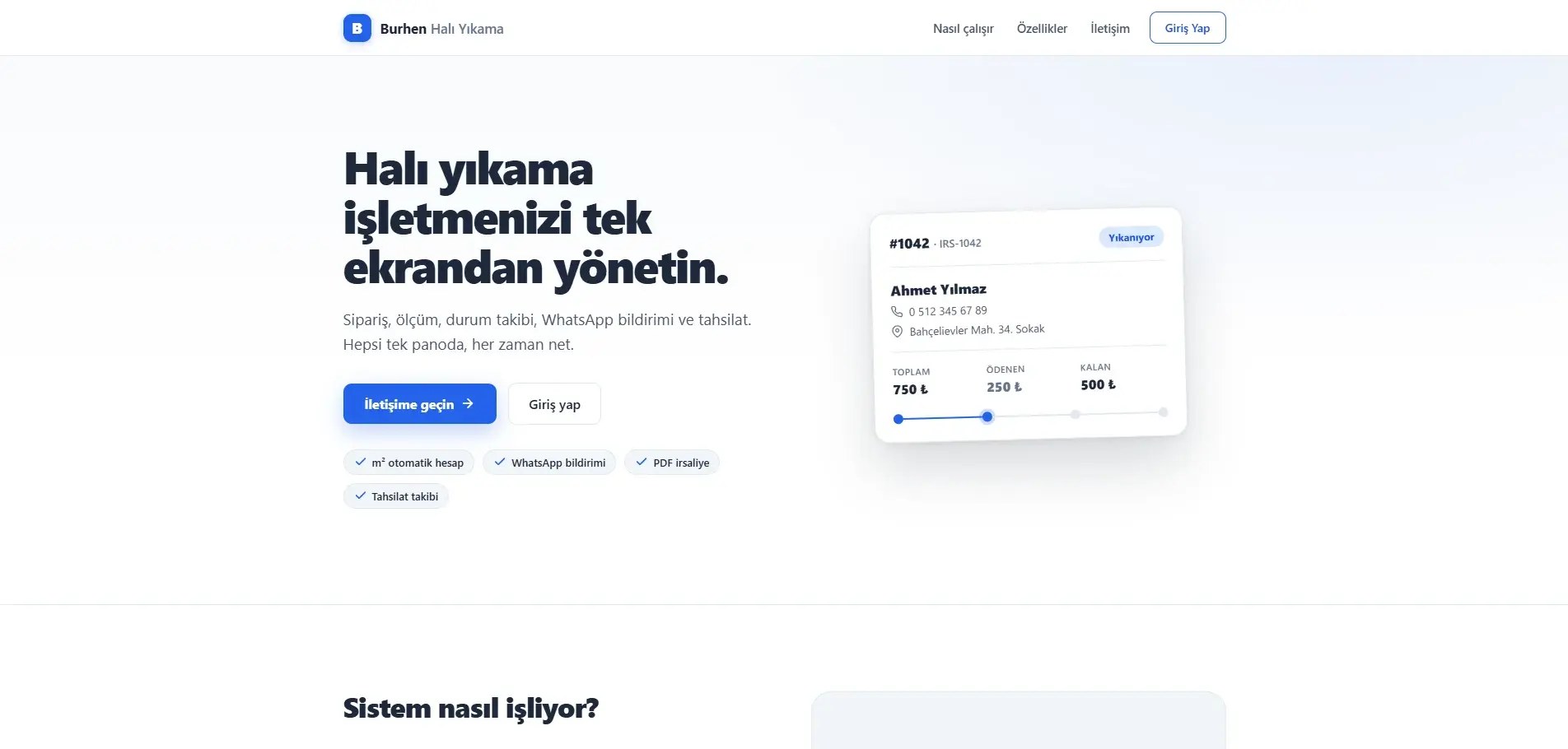
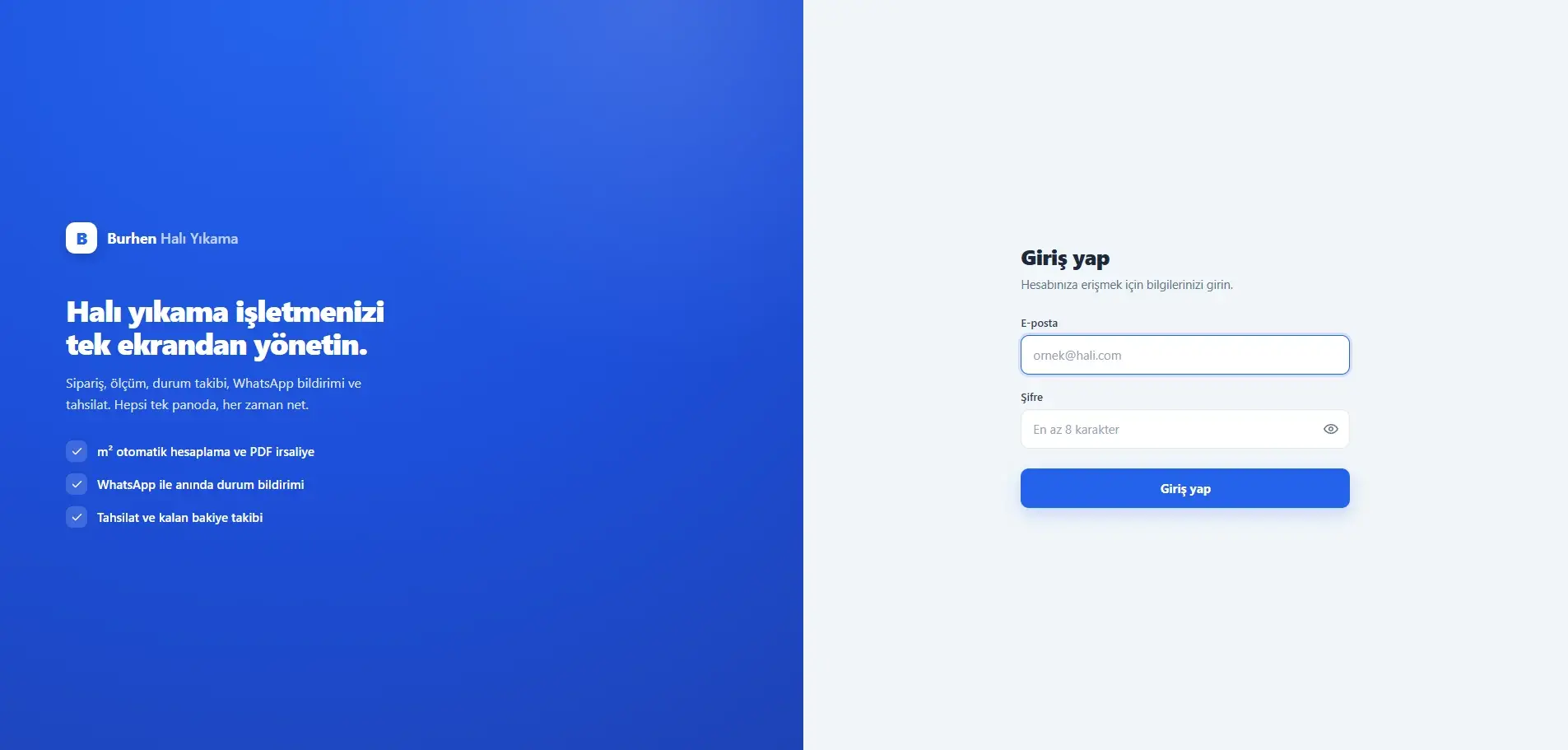
Technical Build
Burhen’s React and Vite frontend communicates with the Flask REST API through Axios, with JWT tokens attached to protected requests by an interceptor. The backend handles each resource through its own Flask blueprint. SQLAlchemy manages the data models and relationships while Flask-Migrate controls schema changes.
- Interface
- React 19 · Vite · React Router · Recharts · Framer Motion
- API
- Flask · Flask-JWT-Extended · Flask-CORS · Flask-Limiter · Axios
- Data
- SQLAlchemy · Flask-Migrate · Decimal tabanlı tutar ve ölçü alanları
- Documents and tracking
- ReportLab · SQLAlchemy events · Web Share API
Outcome
Burhen Carpet Cleaning CRM combines daily business workflows — from customer registration and order pricing through operational tracking, payments, and document management — within one full-stack system.
The project extends beyond interface design by addressing the relational data model, REST API, JWT-based authorisation, roles and data ownership, PDF generation, audit logs, and financial calculation as connected parts of the application.
Takeaways
- Financial accuracy is a typing question before it is an interface question: holding amounts and measurements as Decimal keeps every layer’s arithmetic in agreement.
- Enforcing rules such as “a payment cannot exceed the balance” on the backend removes the need to rewrite the same guard in every client.
- Binding tracking to ORM events instead of adding it route by route means every resource added later is logged automatically.
- Accepting both the old and new status values and mapping them on read made it possible to move to the six-stage flow without interrupting existing data.
Current scope and next areas of development
- WhatsApp communication runs through user-controlled links and share flows rather than the official WhatsApp Business API; no message is sent automatically from the server.
- The payments module records payments; it does not move money or integrate with a payment gateway or bank.
- The PDF output produces an operational delivery note; it is not a verified statutory e-document integration.
- Map behaviour works through an outbound search link; there is no routing or location-tracking system.
- The application interface and API messages are in Turkish within the current scope.
- Every record in the screenshots is development seed data and does not represent real usage volume.
- The database depends on the configured connection string; no particular production database provider or deployment environment is assumed.
- Production use and independent security auditing are unverified, so no claim is made about either.
Related insights
- Why CRM Projects Fail to Deliver the Expected ValueThe tool is rarely the problem. Data-entry burden and unclear ownership are what quietly empty a CRM out.
- Where Should You Start When Digitizing Manual Operations?Digitising before observing moves the mess from paper to a screen. A small pilot is the safest first step.
- Which Business Processes Are Suitable for Automation?Repetitive, rule-based work is the good candidate. Automating a tangled process without simplifying it only makes it faster.
Working on a similar digital product?
Share the need, the current situation, and your goals so we can evaluate the right starting point together.