

01 / 04
EstateFlow
A full-stack real estate platform built with React, TypeScript, FastAPI and Firebase. It covers listing discovery, filtering, map-based location, detail pages, favourites, comparison, and a role-based admin dashboard.

Project snapshot
- Status
- Completed
- Role
- Frontend architecture, backend API design, Firebase integration, and user interface
- Technologies
- React · TypeScript · FastAPI · Firebase
Overview
A connected real estate experience from discovery to administration.
- Context
- Not simply a listing interface, but a full-stack application that brings search, comparison, location-based exploration, and contact workflows into one connected experience.
- Goal
- To connect the public discovery experience and protected content management through one data and API architecture.
- Norvane’s role
- Frontend architecture, backend API design, Firebase integration, and user interface
The Need
Real estate platforms need to help people make sense of large amounts of listing, location, price, and property data. At the same time, the administrative side must provide controlled ways to manage listings, images, statuses, and incoming enquiries.
The central challenge in EstateFlow was to connect these two needs through one data and API architecture while keeping the interface clear and approachable.
- Multi-dimensional searchBringing location, listing type, property type, price, room count, and sorting into one comprehensible filter system.
- Map and list parityPresenting listings across grid, list, and map views without losing context between them.
- Content managementRunning listing creation, editing, media upload, and status management through an authorised panel.
- Frontend and data boundaryRouting data operations through a validated backend flow rather than letting the browser write to Firestore directly.
Approach
In EstateFlow, the frontend does not modify listing data in Firestore directly. The React and TypeScript interface communicates with the FastAPI API through Axios. After validation and authorisation, FastAPI performs Cloud Firestore operations through the Firebase Admin SDK.
This separation keeps data-access rules from relying solely on browser-side behaviour and establishes a backend-validated application architecture.
A verified API boundary
Write operations reach the data layer only after Pydantic validation and token verification.
Role-based access
Public read endpoints and protected administration endpoints sit at separate permission levels within the same API.
Shareable search state
Filters stay aligned with URL query parameters, so a search result remains shareable and revisit-friendly.
Data flow
- React + TypeScript
- Axios
- FastAPI
- Firebase Admin SDK
- Cloud Firestore
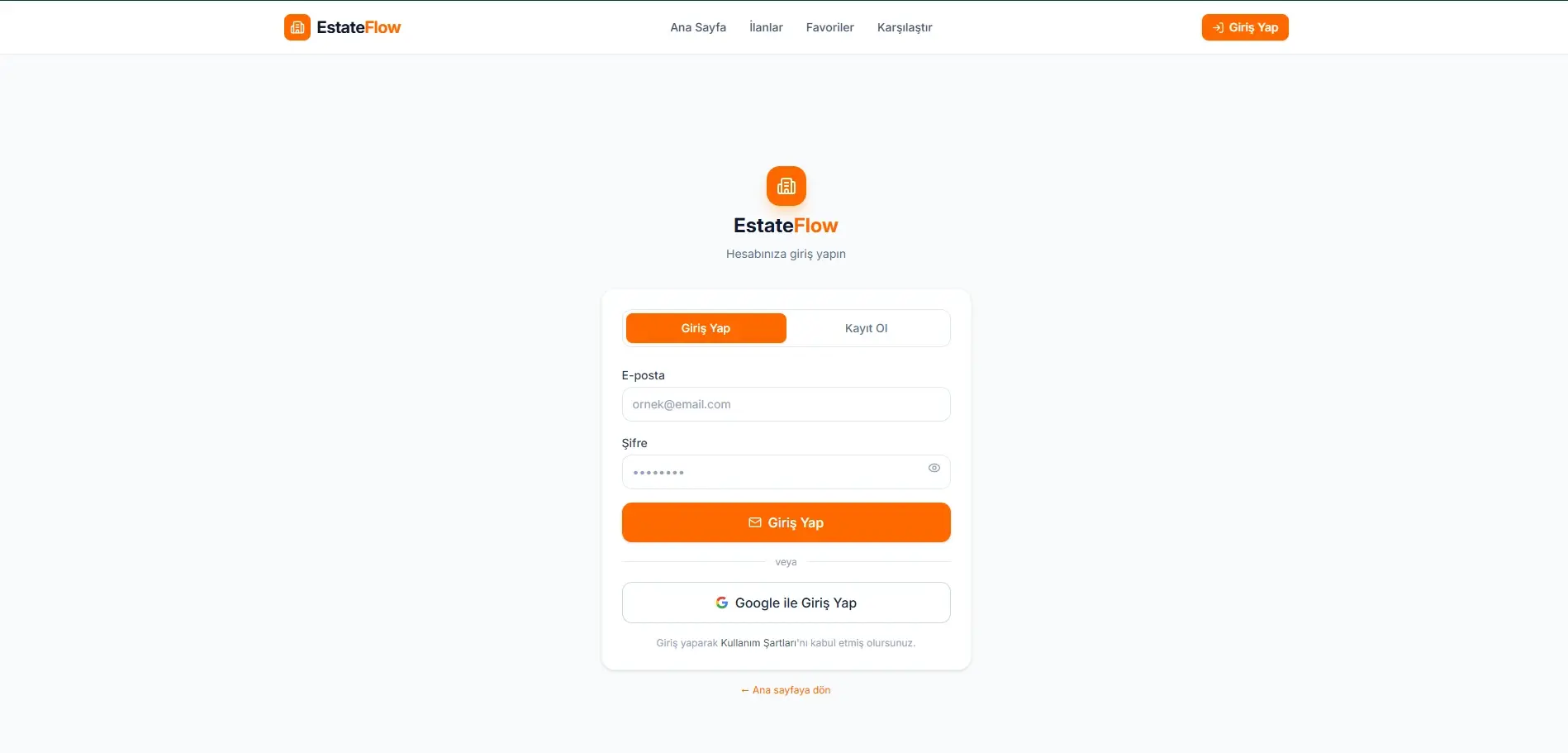
Authentication
- Firebase Authentication
- ID token → React interface
- Bearer token → FastAPI
- Token verification
- Role-based API access
Media upload
- Administration interface
- Firebase Cloud Storage
- File URL → FastAPI
- Firestore property record
Features
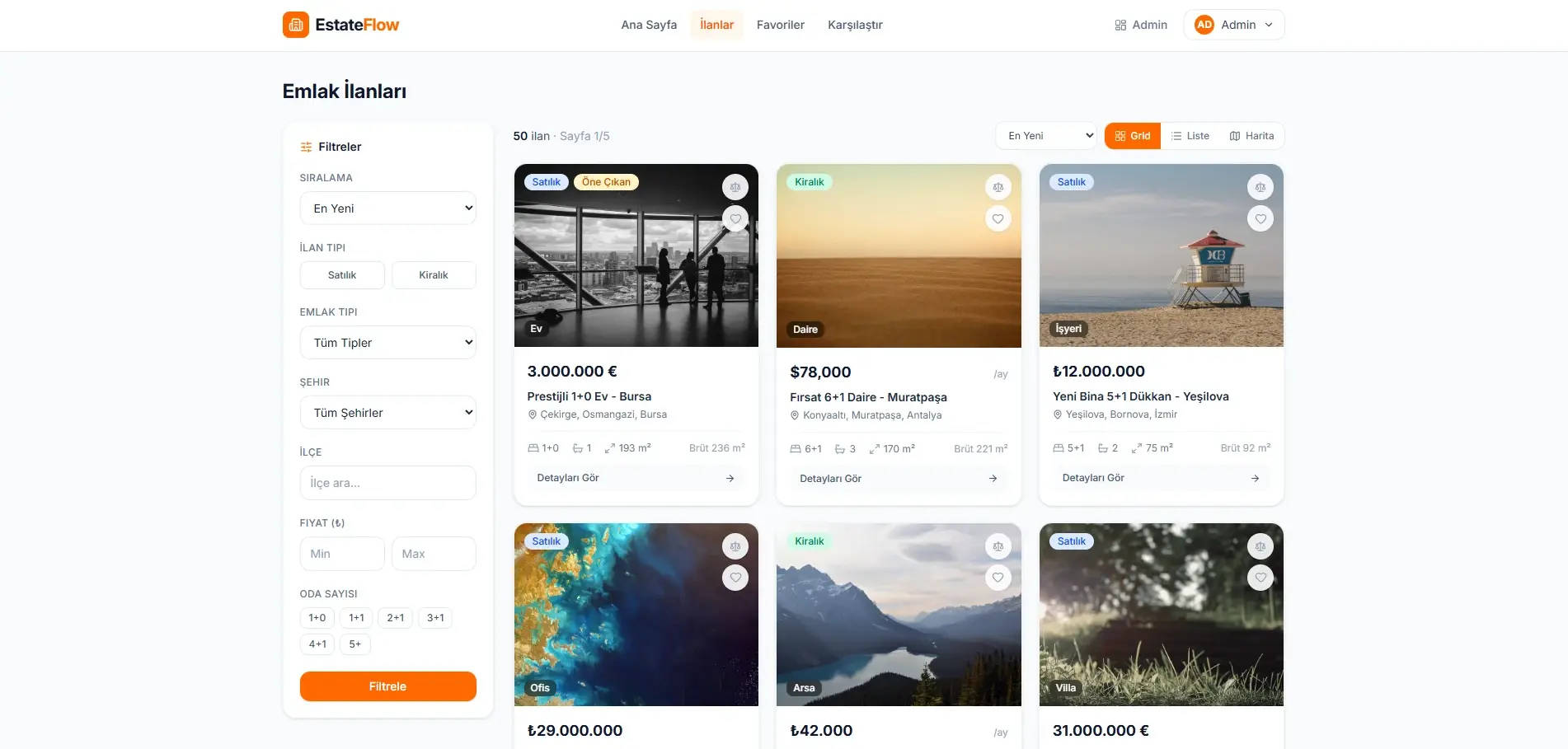
A discovery system that adapts to different ways of searching.
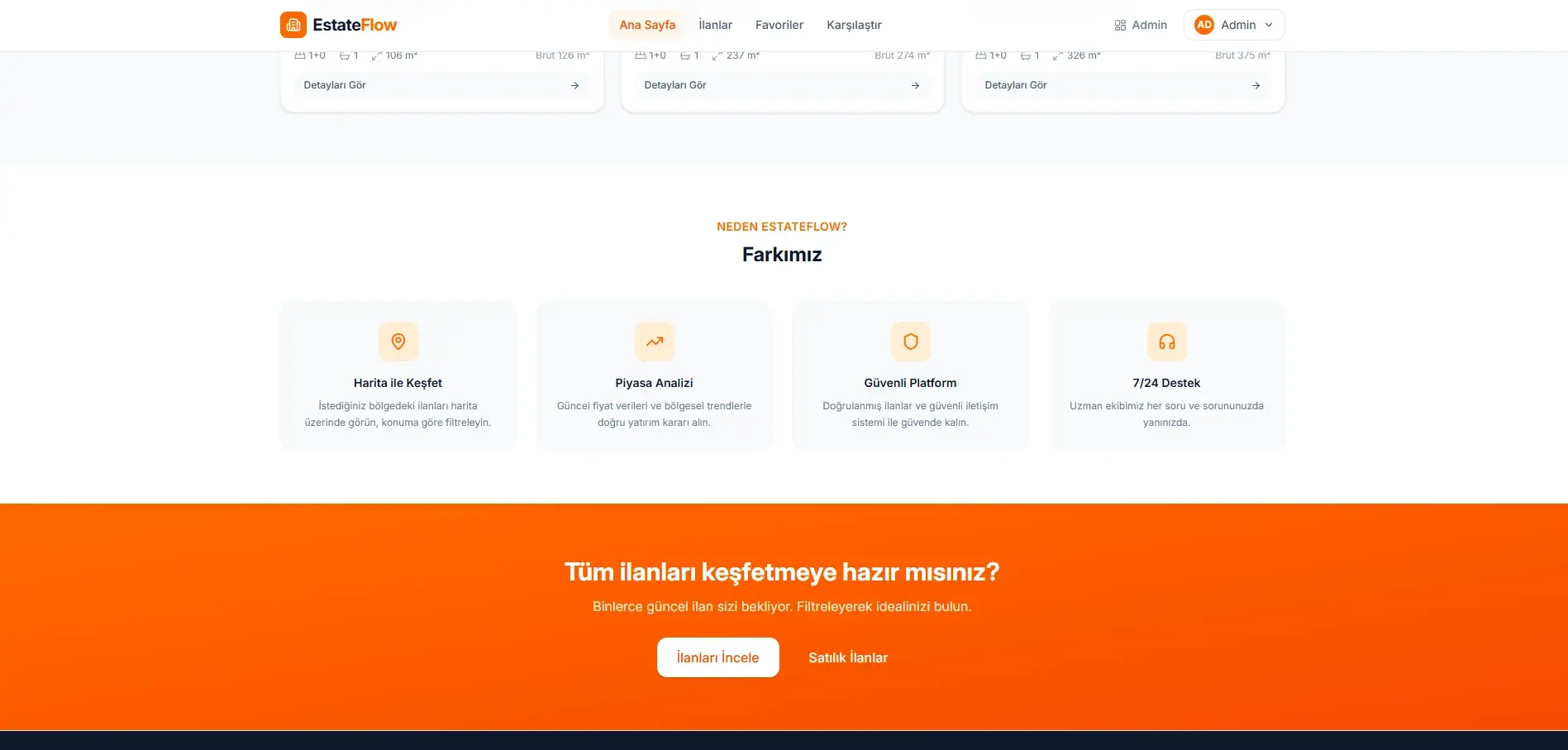
EstateFlow does not restrict property discovery to a single presentation mode. Listings can be explored through grid, list, or interactive map views.
The filtering system supports listing type, property type, city, district, price range, room count, and sorting.
- Advanced listing filters
- Grid, list, and map views
- Leaflet-based interactive map
- Sorting options
- Favourite and comparison shortcuts
- Responsive listing experience
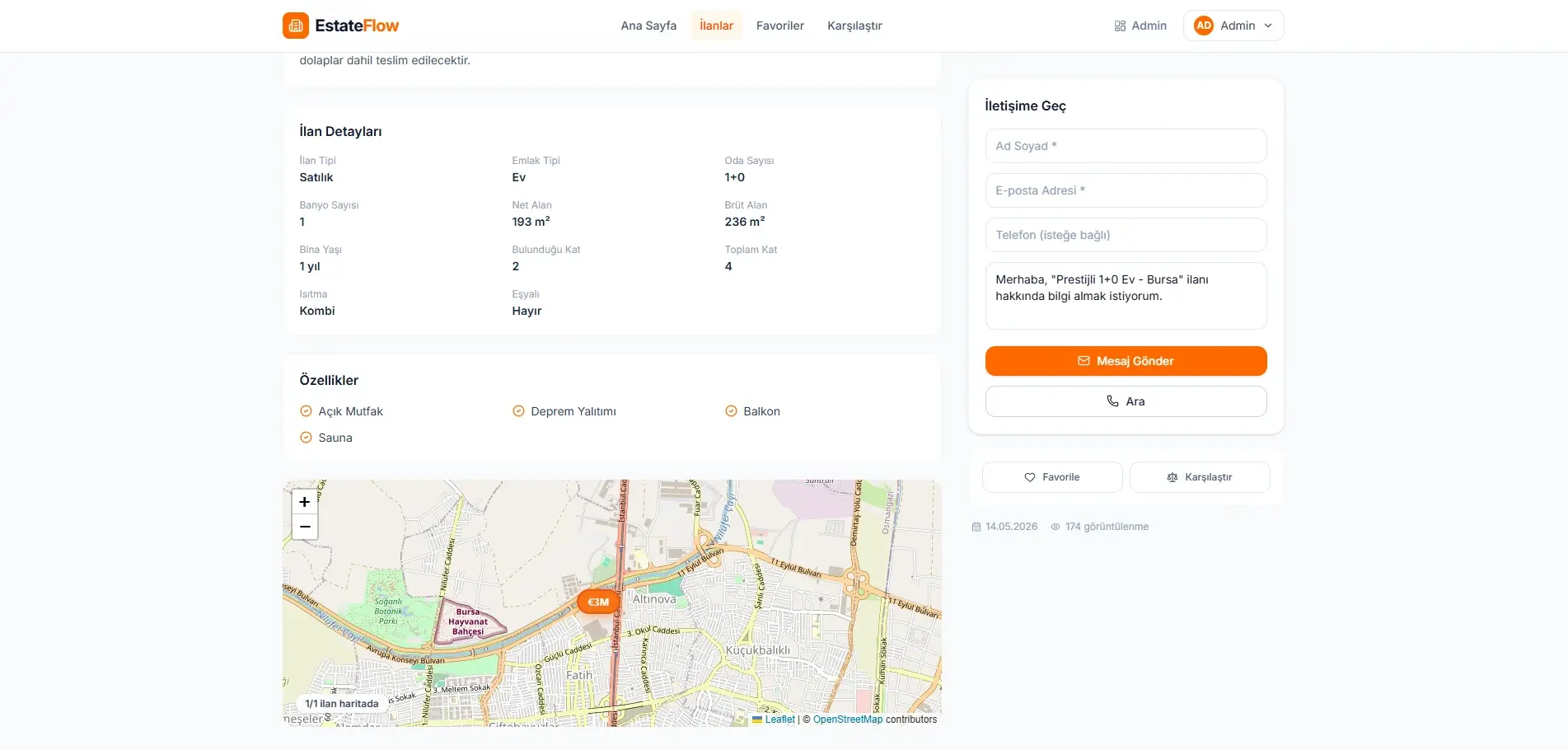
Bringing the information needed for a decision into one detail flow.
The property detail page lets people review core information, imagery, attributes, and location without the experience scattering across multiple routes.
The image gallery and enlarged view support closer media inspection, while the Leaflet-based location section provides geographical context. A contact form connects property exploration with the enquiry workflow.
- Detailed property information and attributes
- Image gallery with an enlarged view
- Map and location display
- Contact form
- Responsive detail layout

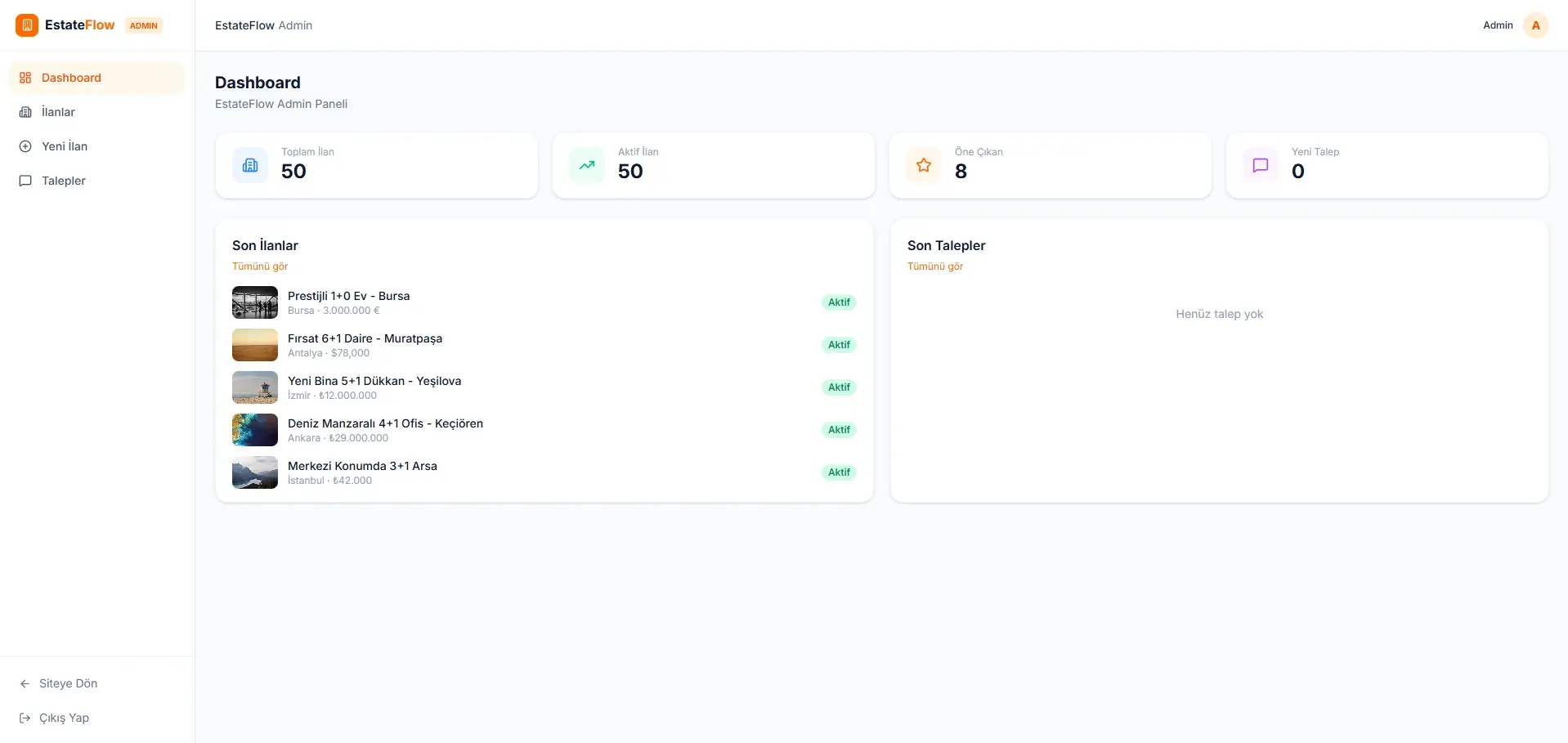
Managing listings and enquiries from one protected workspace.
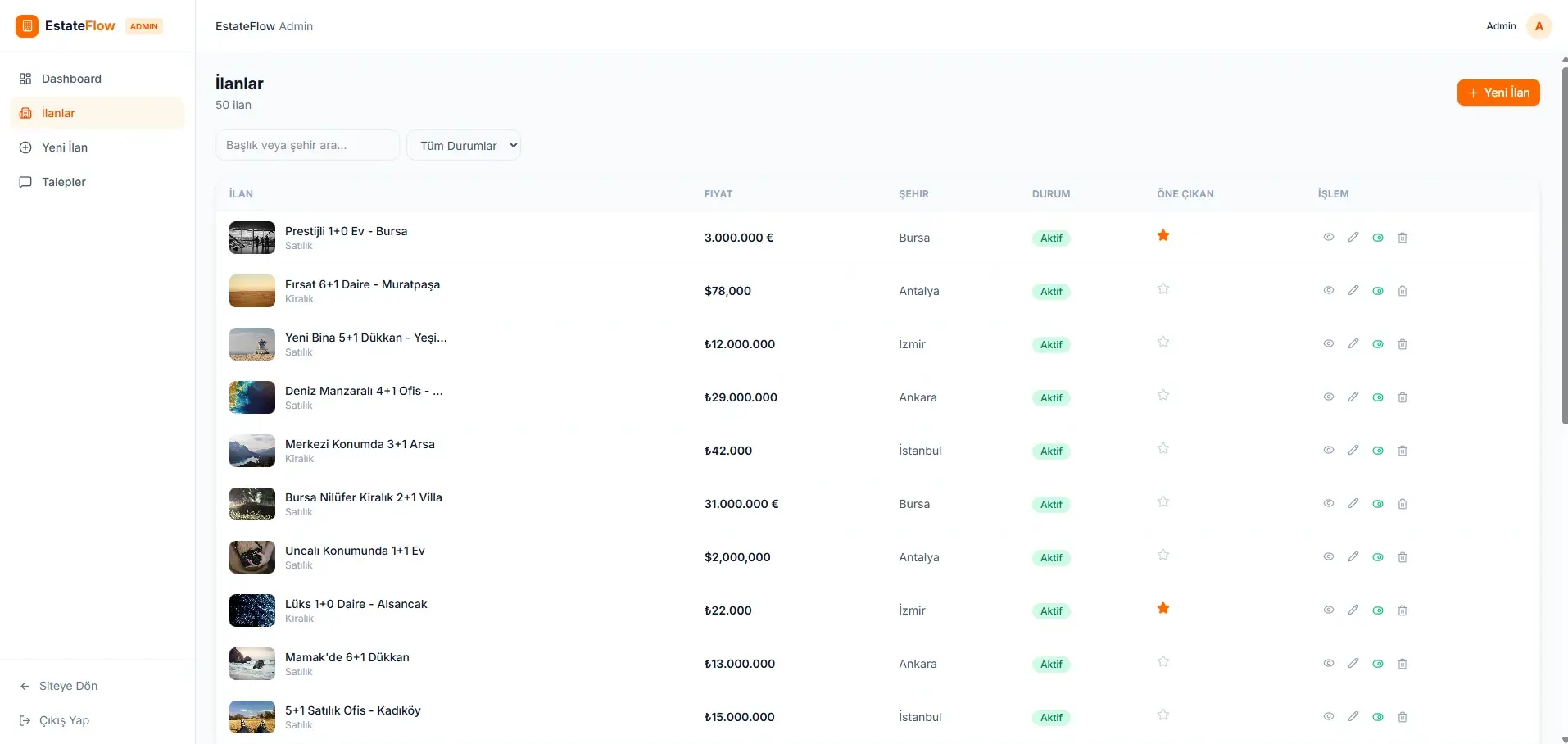
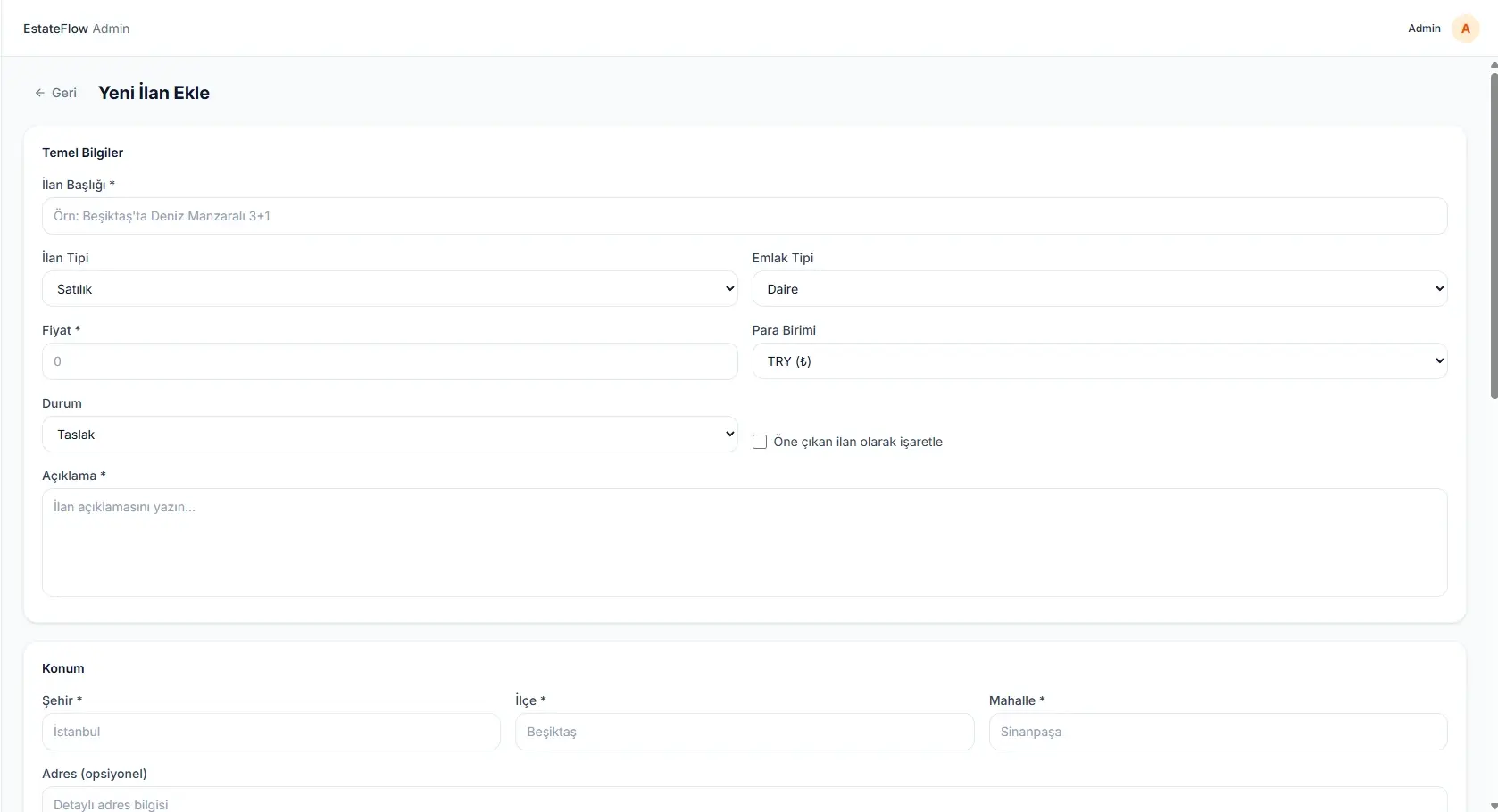
EstateFlow’s protected administration area allows listing data to be managed inside the application. Authorised users can create new properties, edit existing listings, change listing status, and control which properties appear as featured.
Media uploads are handled through Firebase Cloud Storage; the resulting file URL and metadata are associated with the relevant Firestore property record through FastAPI. The panel also supports reviewing incoming enquiries and updating their status.
- Protected administration panel
- Listing creation and editing
- Listing status and draft management
- Featured listing control
- Firebase Storage media upload
- Enquiry list and status management
- Role-based protected routes
Interface

Technical Build
The interface, application, and data layers carry separate responsibilities, each with its own validation and authorisation step.
- Interface
- React · TypeScript · Vite · Tailwind CSS · React Router · Zustand · Axios
- Mapping
- Leaflet · React Leaflet · OpenStreetMap
- Application
- FastAPI · Python · Uvicorn · Pydantic
- Data and cloud
- Cloud Firestore · Firebase Authentication · Firebase Cloud Storage · Firebase Admin SDK
Outcome
EstateFlow brings together a public property discovery experience, detailed listing pages, map-based exploration, enquiry workflows, and a protected administration panel within one full-stack architecture.
The project goes beyond frontend component design by addressing API structure, authentication, role-based access, data management, and cloud storage as connected layers of the application.
Current scope and next areas of development
- Favourites and comparison preferences persist through localStorage in the browser in the current version.
- Real-time chat is out of scope.
- There is no payment or subscription system.
- Draw-an-area search on the map has not been implemented yet.
- Production use would require rate limiting, additional spam protection, and a thorough review of Firebase security rules.
- Large Firestore datasets may need indexing and pagination optimisation.
Related insights
- Custom Web Application or Off-the-Shelf Platform?The decision isn't the sticker price. It's process fit, integration, data ownership, and who maintains it.
- How Should Technology Be Chosen for a New Digital Product?Requirements and team capability decide this, not trends. Recording why you chose matters as much as what you chose.
- Common Mobile UX Mistakes and How to Avoid ThemMobile design isn't a shrunken desktop layout. Content priority and touch behaviour have to be reconsidered.

Working on a similar digital product?
Share the need, the current situation, and your goals so we can evaluate the right starting point together.